


MD307 Digital watch face
4.41.94K Reviews
App Specs
- Version
- Varies with Device
- Updated On
- License
- $2.49
- Downloads
- 100,000+
- Developer
- Matteo Dini MD ® Watch Faces
- Categories
- Personalization
- Platform
- Android
Screenshots
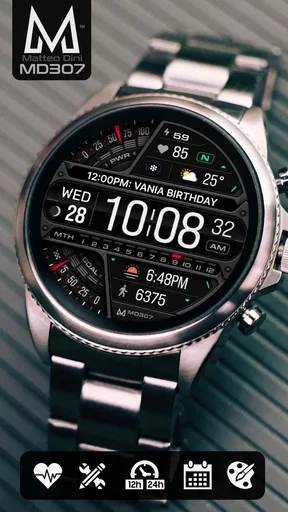
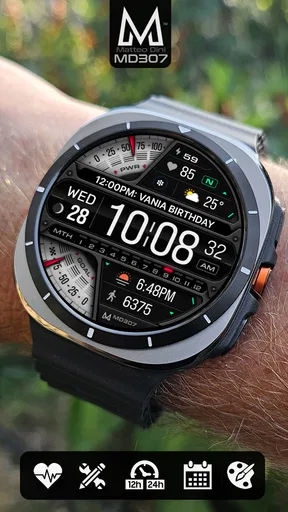
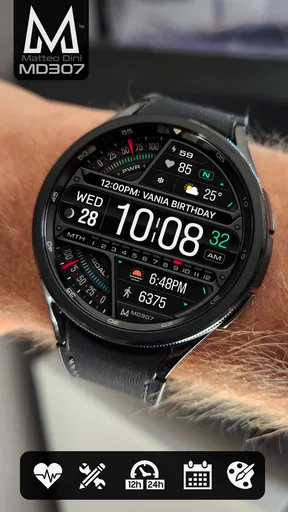
 Analysis by AppCompare
I judge a watch face less by how impressive it looks in a screenshot than by whether I can read it at a glance while getting out the door. That matters even more in a shared household, where someone may borrow a watch or ask what a glanceable number means. MD307 Digital watch face is a Wear OS personalization app from Matteo Dini MD ® Watch Faces, and its appeal is the chance to shape a digital layout around the details you actually want to see. It is a paid download at $1.99, so I’d approach it as a considered customization purchase rather than a free experiment.
A useful face for a shared routine
Picture a busy morning: I’m checking the time while packing a bag, then glancing at a chosen complication before heading out. A clean digital face can make that quick check more useful without pulling out a phone. In a household, that same glanceable setup can help when somebody else briefly uses the watch, provided they know whose device it is and what the displayed information means. The face itself is a personal display, not a household coordination tool, so I wouldn’t treat it as a way to share schedules or manage other people’s activity.
That distinction is important. The person wearing the watch should decide which information appears and whether it is comfortable to show around others. If I’m passing my watch to someone, I’d first check the face for details I’d rather keep private, and I wouldn’t assume that changing its appearance creates a separate profile. For shared devices, clear ownership and a deliberate handoff matter more than a stylish layout.
Set it up around the person wearing it
The customization is most useful when it starts with a purpose, not a long session of trying every option. I’d first choose the information I genuinely check during the day, then arrange the face so the most important item is easy to find. A step count suits someone who wants a quick activity glance; weather can be more useful for a person deciding whether to take a jacket. The right arrangement depends on the wearer, and a face that looks appealing in a setup screen may be less practical once it is on the wrist.
For a shared watch, I’d keep the setup simple enough that another household member can read it without needing to learn a complicated arrangement. I’d also avoid assuming that a complication automatically has the right information available: what it shows can depend on the Wear OS watch and the selected data source. If a field is blank or not relevant, choosing another option is more sensible than building a routine around a detail the watch isn’t displaying.
Coordination without confusing ownership
MD307 can make a personal watch more informative, but it does not replace a shared calendar, messaging app, or a conversation about who is doing what. A selected complication may help its wearer check a relevant detail quickly, yet it should not be mistaken for a complete household plan. If two people need to coordinate a pickup, for example, I’d use the tool they already rely on for that arrangement and treat the watch face as a convenient glance, not the source of truth.
That also makes it easier to decide whether this purchase fits. It is aimed at someone who wants to personalize a Wear OS watch, not at a family looking for account management or shared-device controls. I’d choose it for its display and configurable information, while keeping any household scheduling and account boundaries in the appropriate apps and settings.
Worth Reading Before You Choose

EA SPORTS FC Mobile 26 Is a Bigger Football Game, but It Takes Time

Flipboard Shows What News Apps Must Do Beyond the Feed

Switching to Android Auto Means Rethinking Your Driving Routine

Google Calendar Makes a Crowded Week Easier to Manage

Ludo King Makes the Most of the Minutes Between Plans

Baby Panda World Brings Quick Play to Modern Phones, but Its Game Library Feels Busy
Age, trust, and expectations
The app is rated for Everyone, which is a straightforward age classification, not a promise that the face is designed specifically for children or that it includes parental tools. I wouldn’t buy it expecting child profiles, family permissions, or a way to supervise another wearer. For a younger user, an adult should still decide whether a connected watch is appropriate and help establish what information belongs on its screen.
At the time of writing, MD307 has a 4.4 average from around 12,000 ratings, with roughly 1,900 written reviews and more than 100,000 installs. Those figures suggest that many people have tried it, but they can’t tell me whether its particular look or complication choices will suit your watch. I’d use them as context, then make the decision based on your device, your preferred layout, and whether you want a paid, customizable face rather than a basic preset.
First Impressions: Sleek and Modern
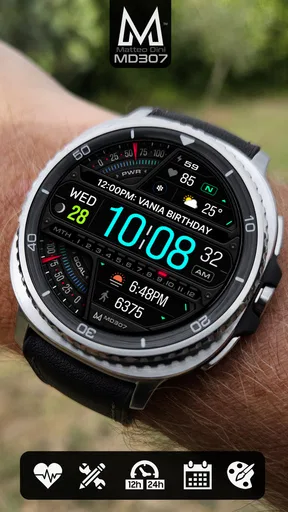
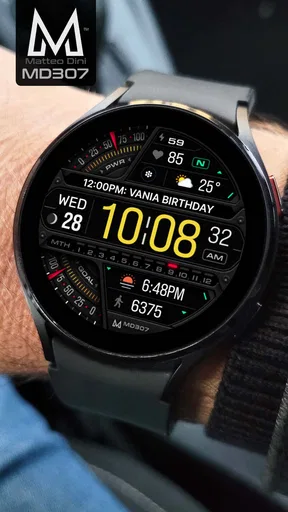
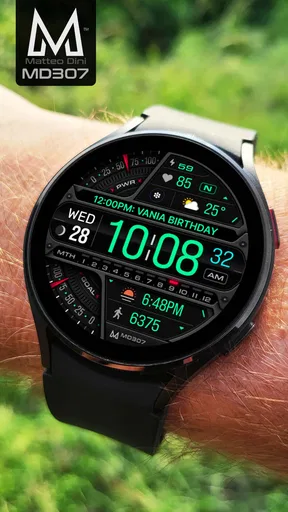
The first thing that caught my eye when I installed the MD307 Digital watch face was its sleek, modern design. We're talking minimalistic yet functional. The layout is clean with just the right amount of information displayed. No clutter, just pure utility. It feels like the designer really got into the mindset of "less is more."
Customization Galore
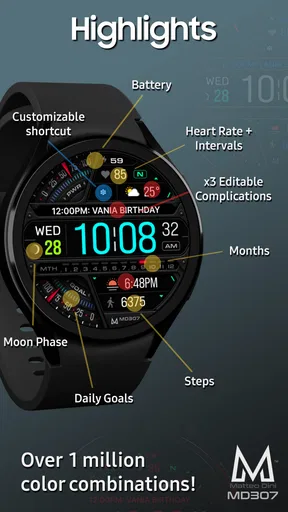
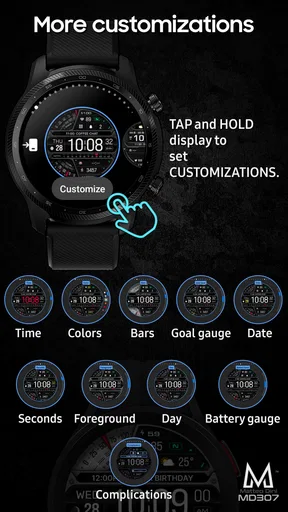
One of the standout features of this watch face is customization. You can tweak the colors, choose different layouts, and even adjust the complications. I spent a good half-hour just playing around with the combinations to get it just right for my taste. Whether you're into vibrant colors or prefer a more subdued palette, there's something here for everyone.
Another neat touch is the ability to select different data points to display. Want to see your steps front and center? Go for it. Prefer to keep tabs on the weather? It's all just a few taps away. This level of customization really makes the watch face feel personal and tailored.
Performance and Battery Life
Now, let's chat about performance. With some watch faces, I've noticed a bit of lag or they seem to drain the battery faster than I'd like. Not the case with MD307. It's smooth, responsive, and doesn't seem to guzzle up the battery. After a day of regular use, I didn't notice any significant battery drop, which is always a huge plus in my book.
The animations, while subtle, are fluid and add a touch of elegance without being over the top. You know those watch faces where the animations are just too much? Yeah, this isn't one of them.
Usability: Easy as Pie
I'm not the most tech-savvy person, so usability is a big deal for me. Thankfully, setting up MD307 was a breeze. The interface is intuitive, and I didn't even need to look up a tutorial to get started. Everything is pretty self-explanatory, which I appreciate.
Switching between different modes and configurations is seamless. It's like the app anticipates what you want to do next, making the whole experience feel smooth and user-friendly.
Final Thoughts
So, would I recommend the MD307 Digital watch face? Absolutely. It strikes a perfect balance between style and functionality, with plenty of room for customization to suit your personal taste. It's easy to use, looks great, and doesn't drain the battery. Whether you're a tech enthusiast or just someone who wants a reliable watch face, MD307 is a solid choice.
If you're on the hunt for a new watch face that offers a bit of everything, give MD307 a try. You might just find it's exactly what you've been looking for. Happy customizing!
Choosing it over the usual alternatives
Wear OS owners can stick with the watch’s built-in faces, choose a simpler digital design, or install a face that puts more emphasis on decoration. I see MD307 as the middle ground: it offers more room to tailor the screen than a fixed preset, while keeping a practical digital presentation rather than making the watch look like a miniature novelty display. If you already have a built-in face that shows the time and the few details you need, there may be little reason to pay for another. The value is in having a layout you enjoy checking and can adapt to your habits.
There is a trade-off to that flexibility. More choices mean a little time spent deciding what belongs on the screen, and adding every available data point would work against the uncluttered look that makes the face appealing. I’d start with only the fields I check often, wear that arrangement for a day, and then change one thing at a time. That makes it easier to tell whether a complication earns its space instead of turning customization into a guessing game.
Small setup decisions that make a difference
Before settling on a color or layout, I’d check the face in the conditions where I usually glance at my watch: indoors, outside, and while moving. A design that looks balanced in a quiet setup session may be harder to scan when I’m carrying groceries or trying to catch a bus. Putting the time and the one most useful complication where my eyes naturally land is more valuable than filling every available area. I’d also choose contrast for legibility first and personal style second; a face can be distinctive without making the information harder to read.
Complications deserve a quick reality check after setup. If I choose weather, I’d make sure it is the kind of weather information I actually use; if I choose steps, I’d ask whether I want that number visible throughout the day. A glanceable display can encourage useful habits, but it can also make a number feel more important than it is. I treat these fields as convenient prompts, not as a complete record or a reason to keep checking the watch.
What to expect from the purchase
MD307 is designed for Wear OS, so the first practical question is whether the watch you plan to use supports that platform. It is not an iPhone watch-face download simply because it is a personalization app; the watch and its operating system matter. Once that fit is established, the next question is whether you value an adjustable display enough to pay for it. At $1.99, the cost is modest, but a face you barely use is still poor value, while a layout you check throughout the day can make the purchase feel worthwhile.
I would not promise that the same setup will look or behave identically on every watch. Screen shape, available complication sources, and the wearer’s habits all affect the result. If one option does not appear or suit the display, I’d try another supported choice rather than assume the entire face is unusable. For someone who wants a fixed, no-decisions design, a built-in alternative may be easier; for someone who likes tuning the wrist display, MD307 has a clearer reason to exist.
Who will get the most from it
I’d recommend it most to a Wear OS owner who checks a few pieces of information repeatedly and wants them arranged in a modern digital face. It also suits someone who likes to personalize a device but doesn’t want a highly decorative look. People who enjoy changing colors and testing different combinations can make good use of the options; people who prefer to install a face once and never revisit its settings may care less about that flexibility.
I’d skip it if you need a household dashboard, a way to coordinate several people, or controls for separate users. It is also not the obvious choice if you do not use Wear OS, if your current face already gives you everything you need, or if you dislike spending time choosing what to display. For those cases, the built-in option or a shared calendar on the device you already use is a better fit than expecting a watch face to solve a different problem.
A sensible household verdict
For a family or shared-device setting, I’d think of MD307 as one person’s carefully arranged watch face, not a shared account feature. A parent and child can each have different preferences, but the face itself should not be treated as a method for enforcing those preferences or separating personal information. If the watch changes hands, I’d make the handoff deliberate and check what is visible before doing so. That small habit is more useful than assuming a customized appearance creates a privacy boundary.
My overall view is positive, with that boundary in mind. The appeal is practical personalization: choose a digital presentation, make the most useful information easy to spot, and keep the screen focused. Its paid price and Wear OS focus mean it won’t suit every owner, and customization only helps if you have a reason to use it. But if your watch is part of your daily routine and you want its face to feel more like your own, this is a sensible option to consider rather than a tool for managing the household.
Pros
- Sleek and modern design.
- Highly customizable features.
- Efficient battery usage.
- Real-time weather updates.
- Supports multiple languages.
Cons
- Limited free customization options.
- Occasional sync issues.
- Requires premium for full access.
- No heart rate monitoring.
- Lacks voice command support.
FAQs for MD307 Digital watch face
What features does the MD307 Digital Watch Face offer?
The MD307 Digital Watch Face provides a range of features including customizable watch face designs, a variety of themes, and real-time weather updates. It also offers fitness tracking functionalities like step count, heart rate monitoring, and integration with Google Fit. Additionally, users can personalize the display with different fonts and color schemes.
Is the MD307 Digital Watch Face compatible with all smartwatches?
The MD307 Digital Watch Face is compatible with most Android Wear OS devices. However, it is important to check the specific requirements of your smartwatch model to ensure compatibility. Users should confirm that their device supports custom watch faces and has the latest software updates installed for optimal performance.
How does the MD307 Digital Watch Face impact battery life?
While the MD307 Digital Watch Face is designed to be energy-efficient, using features like real-time weather updates and constant heart rate monitoring may impact battery life. Users can extend battery life by adjusting the brightness settings and disabling certain functionalities when not needed. It's advisable to monitor battery usage initially to find a suitable balance.
Can I customize the display features on the MD307 Digital Watch Face?
Yes, the MD307 Digital Watch Face offers extensive customization options. Users can modify the time format, choose from an array of themes and colors, and configure widgets to display information like weather updates and fitness stats. This customization ensures the watch face meets personal preferences and functional needs.
What should I do if I encounter issues with the MD307 Digital Watch Face?
If you experience any issues with the MD307 Digital Watch Face, first ensure that your smartwatch’s software is up-to-date. Restarting the device can resolve minor glitches. If problems persist, refer to the app's support section or contact the developer for assistance. User forums may also provide solutions to common issues.


